
Ultimatix tax documents are official financial records provided to TCS employees that contain important information related to their salary and taxes. These documents help employees understand how much salary they earned during the year, how much tax was deducted from their income, and other tax-related details. Documents like Form 16 and TDS statements are especially useful because they provide accurate information needed while filing income tax returns.
The Ultimatix platform makes it easier for employees to access their tax documents online without collecting physical copies. By following the correct steps to open and download these documents, employees can quickly check their salary and tax information, confirm that all details are correct, and keep a secure record for future needs such as tax filing or financial planning.
What Are Ultimatix Tax Documents?
Ultimatix tax documents are official records available through the TCS employee portal that help employees manage their salary and tax information. These documents include details about earnings, tax deductions, taxable income, and TDS payments, making them useful for income tax filing. Employees can easily access and verify their tax details online, check calculations, compare information with other tax records, and keep copies for future financial needs.
Types of Tax Documents Available on Ultimatix
Ultimatix may provide different types of tax-related documents depending on employee access and availability. These documents help employees understand their salary details, tax deductions, and investment information required for proper income tax filing.
The main tax documents available on Ultimatix include:
- Form 16: Provides salary income details and TDS information for income tax filing.
- Salary Tax Statement: Shows salary components, deductions, and taxable income calculations.
- TDS Details: Displays the tax amount deducted from salary payments.
- Investment Declaration Summary: Contains details of tax-saving investments and deductions submitted by employees.
Form 16
Form 16 is one of the most important tax documents provided by employers to employees. It contains complete information about salary income and the tax deducted during the financial year. Employees use Form 16 while filing their income tax returns because it provides a summary of earnings, taxable income, and TDS deductions.
Before submitting a tax return, employees should carefully check the details mentioned in Form 16, including personal information, salary figures, and tax deductions. Any mismatch should be corrected to avoid problems during the income tax filing process.
Salary Tax Statement
A salary tax statement provides detailed information about an employee’s salary structure and tax calculations. It includes details such as monthly earnings, allowances, deductions, and the calculation of taxable salary. This document helps employees understand how their annual income has been calculated.
By reviewing the salary tax statement, employees can better understand their salary breakdown and verify whether deductions and tax calculations are accurate. It is also useful for maintaining personal financial records throughout the year.
TDS Details
Tax Deducted at Source (TDS) details show the amount of tax deducted from an employee’s salary and deposited by the employer. These records help employees confirm that the correct tax amount has been paid on their behalf during the financial year.
Employees should review TDS details carefully and compare them with other tax records, such as Form 26AS or AIS, to ensure that all payments are correctly reflected before filing their income tax returns.
Investment Declaration Summary
Investment declaration details contain information about tax-saving investments and deductions submitted by employees during the financial year. These details help explain how taxable income was calculated after considering eligible tax benefits.
Reviewing this summary allows employees to confirm that their submitted investments and deductions have been properly considered. It also helps them maintain records of their tax-saving activities for future reference.
Read also: Ultimatix App Update: Latest Version & Easy Update Guide
How to Access Ultimatix Tax Documents Online
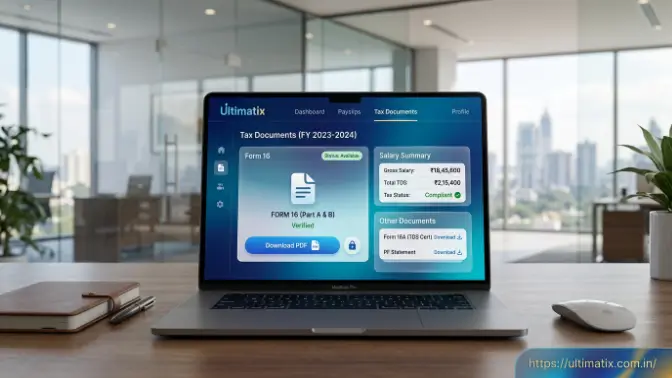
Accessing Ultimatix tax documents online helps TCS employees easily view and download important tax records through the employee portal. These documents include details such as Form 16, TDS information, and salary tax statements, which are useful for income tax filing and maintaining financial records. Employees can access these records by logging into the Ultimatix portal with their registered credentials and navigating to the payroll or tax section. Although the portal layout may change with updates, the basic process remains the same. Employees should ensure a stable internet connection, valid login details, and complete any required verification steps to access their tax information smoothly.
Steps to Log In to Ultimatix Employee Portal
To access Ultimatix tax documents, employees first need to log in to their Ultimatix account. The login process ensures that only authorized employees can view personal salary and tax information. After entering valid credentials and completing security verification, employees can access the dashboard and explore available services.
Follow these general steps to log in:
- Open the Ultimatix employee portal.
- Enter your employee username and password.
- Complete the required authentication process.
- Open the employee dashboard.
- Go to payroll, salary, or tax-related services.
After successful login, employees can find the tax documents section and access available financial records.
Steps to Download Tax Documents from Ultimatix
Once you reach the employee dashboard, you can download your required tax documents from the payroll or tax section. Employees should select the correct financial year and choose the required document, such as Form 16 or a tax statement, before downloading it.
Follow these steps to download documents:
- Open the payroll or employee services section.
- Select the tax documents option.
- Choose the required financial year.
- Download the required document.
- Save the file securely for future use.
After downloading the document, always verify important details such as your name, PAN information, salary details, and tax deductions. Checking these details before filing your income tax return helps prevent errors and ensures that your tax records are accurate.
How to Download Form 16 From Ultimatix
Downloading Form 16 from Ultimatix is an important process for TCS employees because it is one of the main tax documents required while filing income tax returns. Form 16 is an official certificate issued by the employer that includes details about salary income, taxable income, and tax deducted during the financial year. Employees can download it by logging into the Ultimatix portal with their registered credentials and accessing the tax document section. After selecting the correct financial year, they can view and download the available Form 16 file. Since its availability depends on the employer’s release schedule after completing tax calculations, employees should save a secure copy and verify all details before using it for income tax filing.
Information Available in Form 16
Form 16 contains important salary and tax-related information that helps employees understand their annual income and tax calculations. It provides a summary of earnings, deductions, and TDS details, making it easier to prepare accurate income tax returns. The main information included in Form 16 is:
- Employer details: Information about the company issuing the certificate.
- Employee salary information: Details of salary earned during the financial year.
- Taxable income calculation: Details of income considered after deductions.
- Tax deductions: Information about eligible deductions and exemptions.
- TDS amount deducted: Total tax deducted from salary payments.
- Financial year details: The period for which the tax information is provided.
Employees should carefully review the details mentioned in Form 16 before filing their income tax returns. If any mismatch is found between Form 16 and other tax records, it should be corrected to avoid errors during the tax submission process.
Common Problems While Accessing Ultimatix Tax Documents
While Ultimatix provides easy access to employee tax records, users may sometimes face problems while opening, accessing, or downloading their tax documents. These issues can happen due to login errors, technical problems, browser settings, or temporary portal issues. Blog By identifying the cause and following simple troubleshooting steps, employees can quickly resolve most problems and access their required tax information.
Ultimatix Login Problems
Login problems are common when employees try to access their Ultimatix account for tax documents. These issues usually occur because of incorrect credentials, forgotten passwords, authentication errors, or temporary portal problems. Since Ultimatix contains personal salary and tax information, employees must complete proper verification before accessing their account.
Common login issues include:
- Incorrect username or password
- Forgotten login details
- Authentication failures
- Temporary portal errors
To resolve login problems, employees should verify their credentials, reset their password if needed, and check their internet connection. If the issue continues, contacting the internal support team can help restore access to the account.
Tax Document Download Not Working
Sometimes employees can log in successfully but still face difficulties while downloading their Ultimatix tax documents. This may happen because of browser cache problems, slow internet, temporary server issues, or because the required document has not been released yet.
Common download issues include:
- Browser cache errors
- Slow internet connection
- Temporary server problems
- Document availability delays
To fix download problems, employees should clear their browser cache, use an updated browser, check their internet connection, or try accessing the portal later. If the document is still unavailable, they should confirm whether the company has released the tax document for that financial year.
Tips Before Using Ultimatix Tax Documents for Filing Returns
Before filing your income tax return, it is important to review your Ultimatix tax documents carefully to ensure that all salary, deduction, and TDS details are correct. These documents contain important financial information that affects your tax calculation, so checking them in advance helps identify errors and prevents problems during the filing process. Proper verification also ensures that employees submit accurate information and avoid unnecessary corrections later.
Follow these tips:
- Verify PAN and personal details: Check that your name, PAN number, and other personal information are correct.
- Check salary figures and deductions: Confirm that salary details, allowances, and deductions are accurately mentioned.
- Confirm TDS amounts: Ensure the deducted tax amount matches your records.
- Compare with Form 26AS or AIS: Match details with official tax statements for accuracy.
- Keep document backups: Save copies of tax documents for future needs.
- Store records securely: Protect important financial documents from loss or misuse.
Following these checks helps employees maintain accurate tax records, complete income tax filing smoothly, and reduce the chances of mistakes or corrections in the future.
Difference Between Ultimatix Form 16 and Other Tax Documents
Understanding the difference between Ultimatix Form 16 and other tax documents helps employees know the purpose of each record and how it supports their income tax filing process. Although all these documents contain financial information, they provide different details related to salary, tax deductions, and investments. Knowing which document to use makes it easier for employees to verify their income details and maintain proper tax records.
| Document | Purpose |
| Form 16 | Shows salary income details and TDS information provided by the employer. |
| Salary Statement | Provides details of monthly salary, earnings, and deductions. |
| TDS Statement | Shows the tax amount deducted from salary. |
| Investment Declaration | Contains details of tax-saving investments submitted by employees. |
Each document has a different role in managing tax information. Form 16 is mainly used for income tax filing as it provides a summary of salary and TDS details. A salary statement helps employees understand their earnings and deductions, while the TDS statement helps verify tax payments. The investment declaration shows the tax-saving details considered during taxable income calculation, helping employees maintain accurate financial records.
Frequently Asked Questions
How can I download Form 16 from Ultimatix?
To download Form 16, log in to the Ultimatix portal, open the tax or payroll section, select the required financial year, and download the available Form 16 document.
Where are tax documents available in Ultimatix?
Tax documents are generally available under payroll, employee services, or income tax-related sections after logging into the Ultimatix employee portal.
What should I do if my Form 16 is missing?
If Form 16 is not available, check whether it has been released for the relevant financial year. You can also contact the company’s HR or support team for assistance.
Can former TCS employees access Ultimatix tax documents?
Access availability depends on company policies and account status. Former employees may need to contact the appropriate support channel to obtain required tax records.
Are Ultimatix tax documents required for income tax filing?
Yes, documents such as Form 16 and salary tax statements help employees accurately report income and TDS details while filing income tax returns.
Conclusion
Ultimatix tax documents help TCS employees easily manage their salary and tax-related information in one place. By using the employee portal, employees can access important records such as Form 16 and TDS details, which help them understand their income, verify tax deductions, and prepare their income tax returns accurately.
Before submitting a tax return, employees should carefully check all details mentioned in their tax documents to avoid mistakes. Keeping secure copies of these records is also important for future use. Proper management of Ultimatix tax documents makes the tax filing process easier, more organized, and reduces the chances of errors.